Managed apps
Offer bank connections inside your own product, to users who never need a Synci account of their own.
Written By Matias
Last updated 6 days ago
A Managed app lets you offer bank connections inside your own product, to people who do not have a Synci account and never will.
You register each of your users with Synci from your own backend, send them to a Synci-hosted portal to connect their bank, then read their accounts, balances and transactions with a token scoped to that one person. They never create a Synci password, never see a Synci dashboard, and never get a bill: their connections come out of your Synci plan.
Building for people who already have Synci accounts, or would happily create one? Use a standard OAuth app instead. Each user authorizes you on a consent screen and pays for their own connections: Building OAuth apps
What your users see
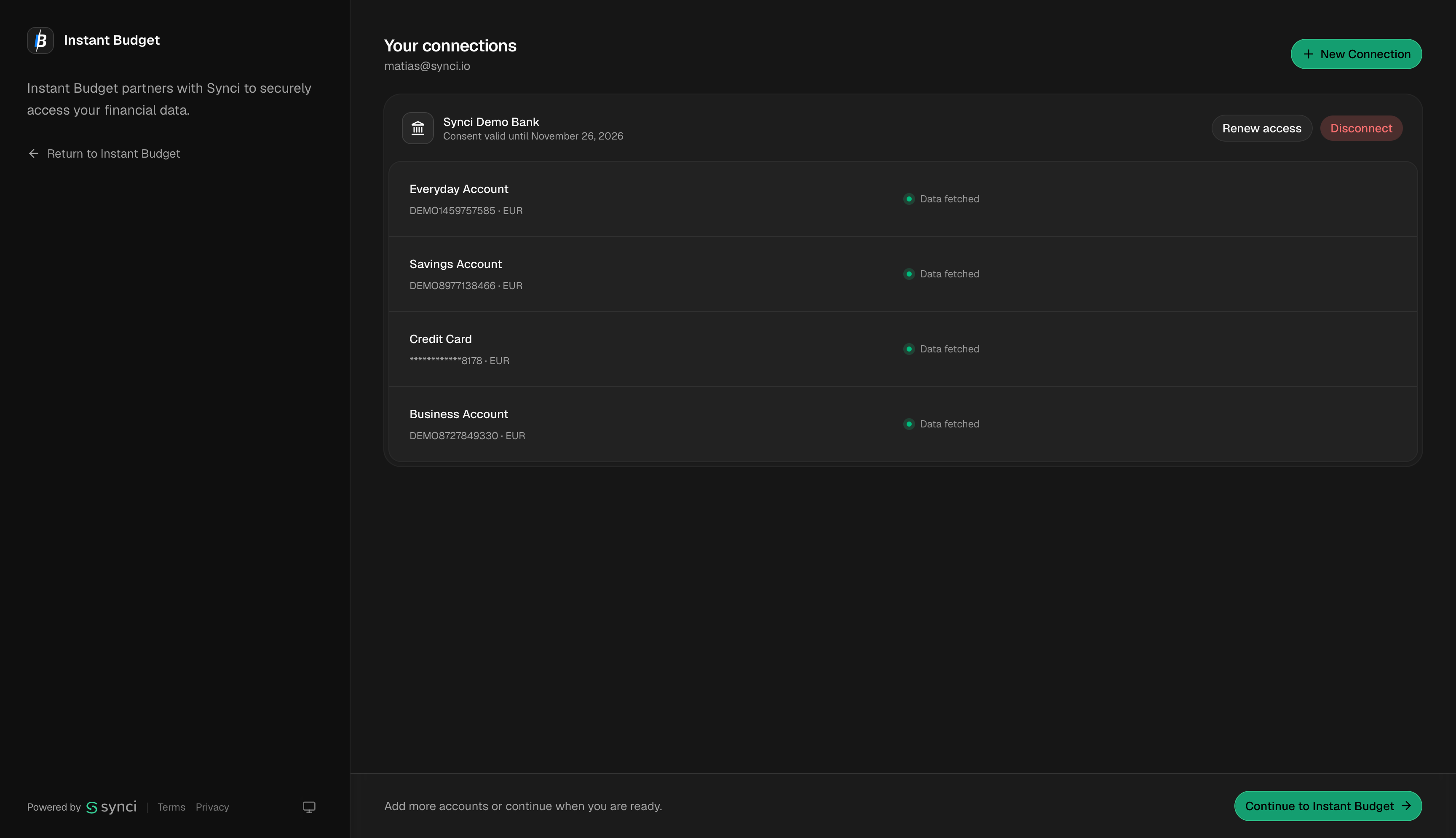
Your user lands in the Synci connection portal already signed in, with no password and no sign-up. They pick their bank, authorize it, and come straight back to your app. You never handle their bank credentials.
The portal shows your app's name. Until your app is approved, it also tells your users that the app hasn't been reviewed yet; once it's approved, it shows your logo too.
What you get
Bank connections across Europe and New Zealand, plus brokerage and crypto-exchange connections.
Accounts, balances, transactions and holdings, through the same API that powers the Synci dashboard.
A fleet view of every connection your users hold, so you can spot the ones that need re-authorizing before they break.
Webhooks for your whole app. Register your own endpoints once and receive events for every user you manage, including connection lifecycle events (a connection is activated, about to expire, failing, recovered and more) and a heads-up when a new connection's transaction history has finished loading.
Optional field mapping. Turn on Allow field mapping customization on your app's Configuration tab and your users can choose how payee, description and date are filled, right in the portal, with a preview of their own transactions.
Registering users is free. You only pay when one of them actually connects a bank.
Billing
Your users' connections draw on your own Synci plan, priced per bank connection. Running at high volume, or would you rather pay for actual usage each month? Usage-based billing is available by agreement: get in touch.
Full documentation
The complete guide covers registering users, portal links, reading their data, webhooks, app settings, scopes, billing, and going live:
👉 https://docs.synci.io/guides/managed-apps
The documentation site lets you test requests directly from the browser.
Was this helpful?
Still need help? Ask the team