Changelog

Follow new updates and improvements to Synci.

A fresh look for Synci, and a new Raycast integration
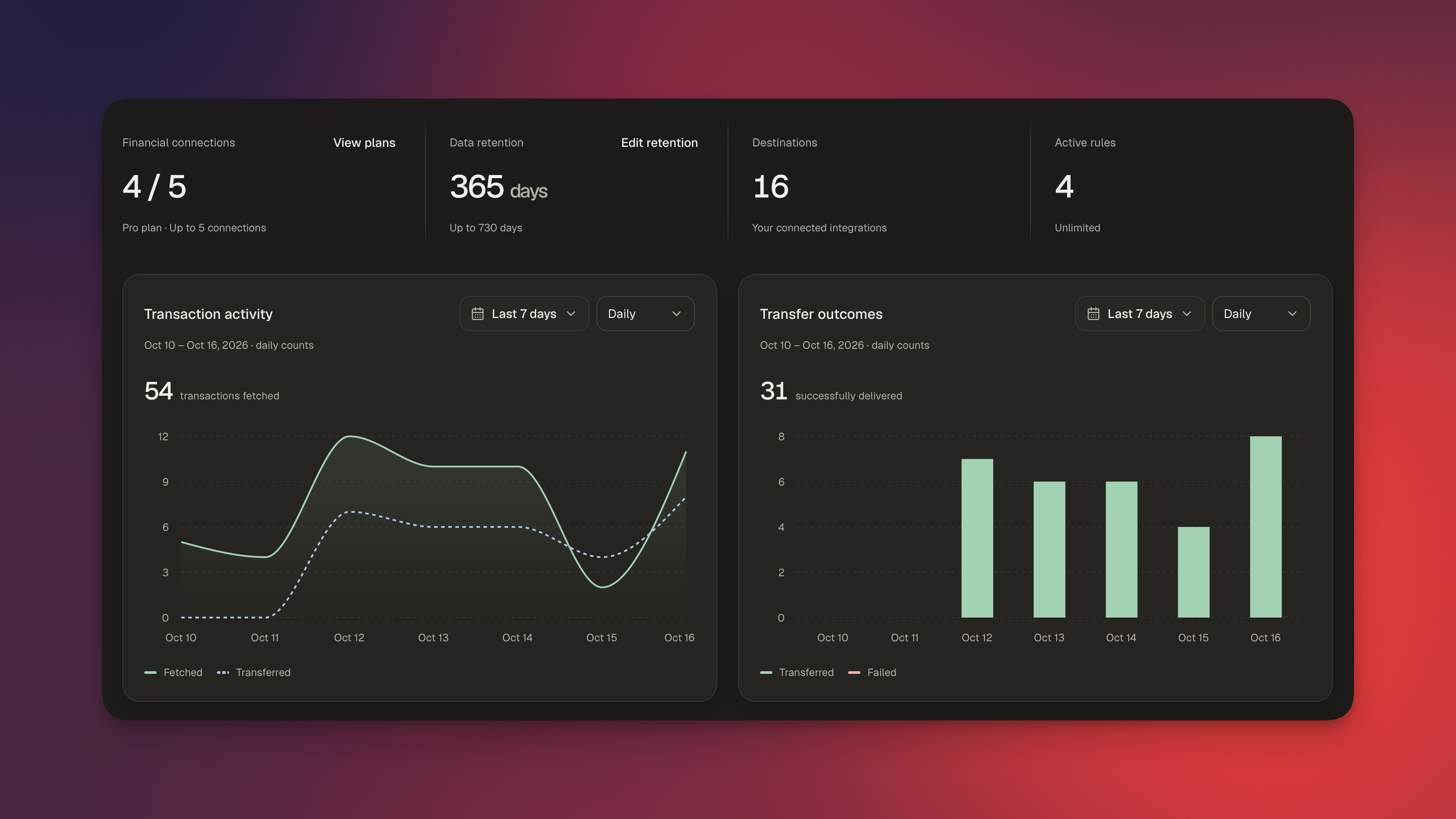
Synci has a new design! We’ve refreshed the app with cleaner layouts, smoother navigation, and a better experience on smaller screens. Alongside the redesign, we’ve improved connection setup and added a new way to explore your finances from Raycast.

A new look throughout the app

From your banks and linked accounts to transactions, rules, and developer tools, the new design makes things more consistent and easier to navigate. Connection health and sync status are easier to spot, and the updated transaction view brings transaction fields, transfer logs, and rule logs together when you need a closer look.

The new notification center keeps connection reminders and other updates close at hand. Open the bell in the top corner to see what needs attention, and choose which notifications you receive by email, in the app, or both.

We’ve also polished light and dark mode, mobile layouts, and the small interactions that make Synci nicer to use.

A smoother connection flow

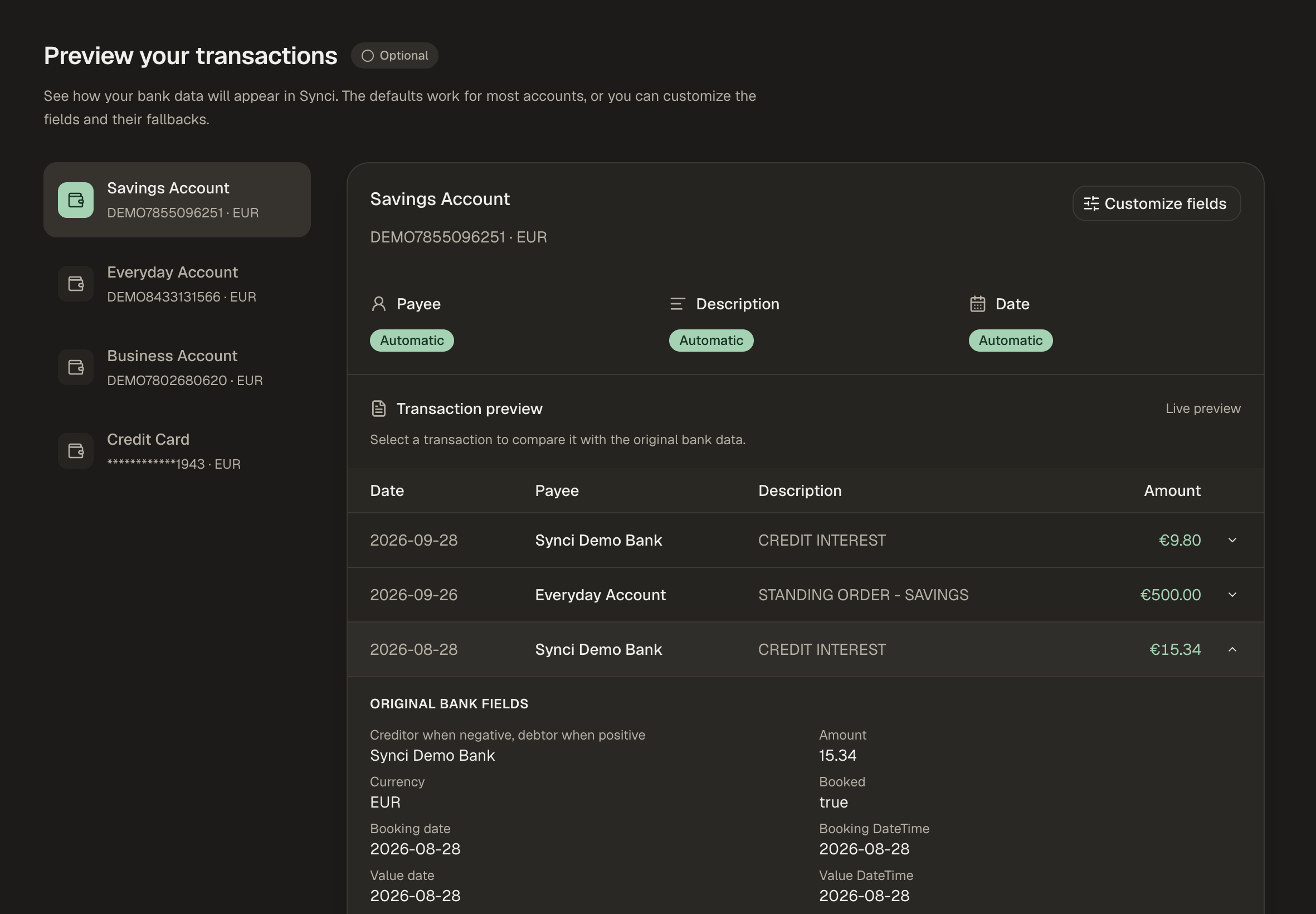
Connecting a bank now takes you through a clearer setup: choose the accounts you want to add to Synci, set your sync preferences, preview your transactions, and pick where you want to send them.

You can decide how far back to sync and check how your transactions will appear using actual data from your bank. Expand a transaction to compare it with the original bank fields, then adjust the payee, description, or date mapping if needed. The defaults still work for most accounts, but when your bank puts the useful information somewhere unexpected, it’s much easier to spot and fix.

You can move between steps to revisit your choices, with changes saved as you go.
Field mapping in the managed portal

Developers building managed apps can now let users configure field mapping directly in the Synci portal, without building a mapping interface themselves.

Enable Allow field mapping customization in your app’s settings, and users can review and adjust mappings during connection setup. They can also return later using the Mapping button beside an account in the portal.

The option is off by default. If you leave it disabled, setup stays simple: users just choose their accounts. After setup, they return to the portal’s connection list, where they can connect another institution.

Your finances in Raycast

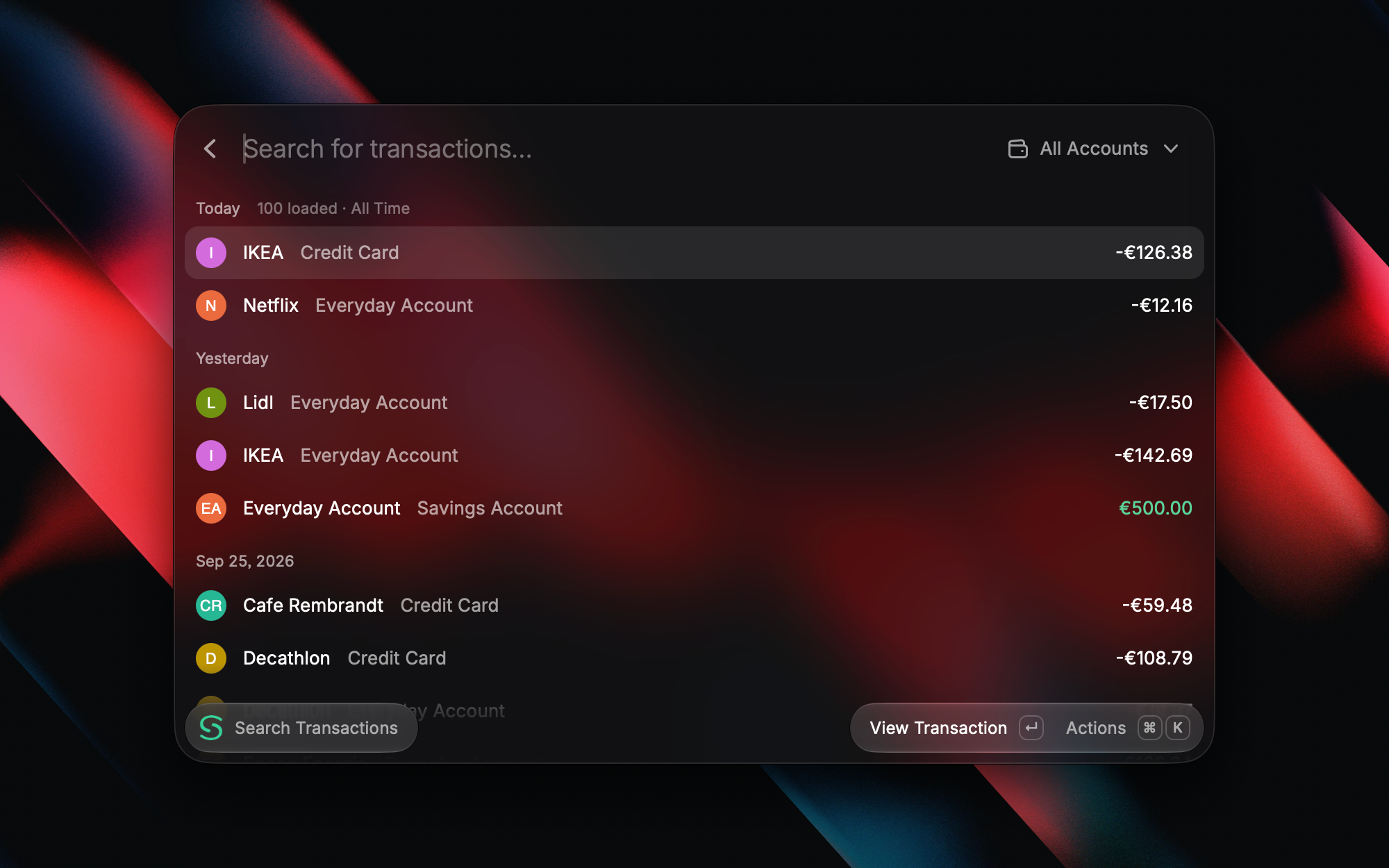
The new Synci extension for Raycast brings your bank, investment, and crypto accounts a few keystrokes away.

  • Find transactions by payee, description, or exact amount, with filters for account, date, status, and category.

  • Check balances and balance history, or browse your investment and crypto holdings.

  • Explore recent spending with breakdowns by merchant or category.

  • Check connection status and quickly open Synci when something needs attention.

You can also export transaction search results as CSV or copy them into a spreadsheet. On macOS, an optional menu bar item keeps your selected account balances close at hand.
Ask about your money

With Raycast AI, you can ask questions like “How much did I spend at this merchant last month?” or “Which connections need attention?” Open Ask Synci, or mention @Synci in AI Chat.

AI features require Raycast Pro and an active Synci subscription. The regular commands work independently of Raycast AI.
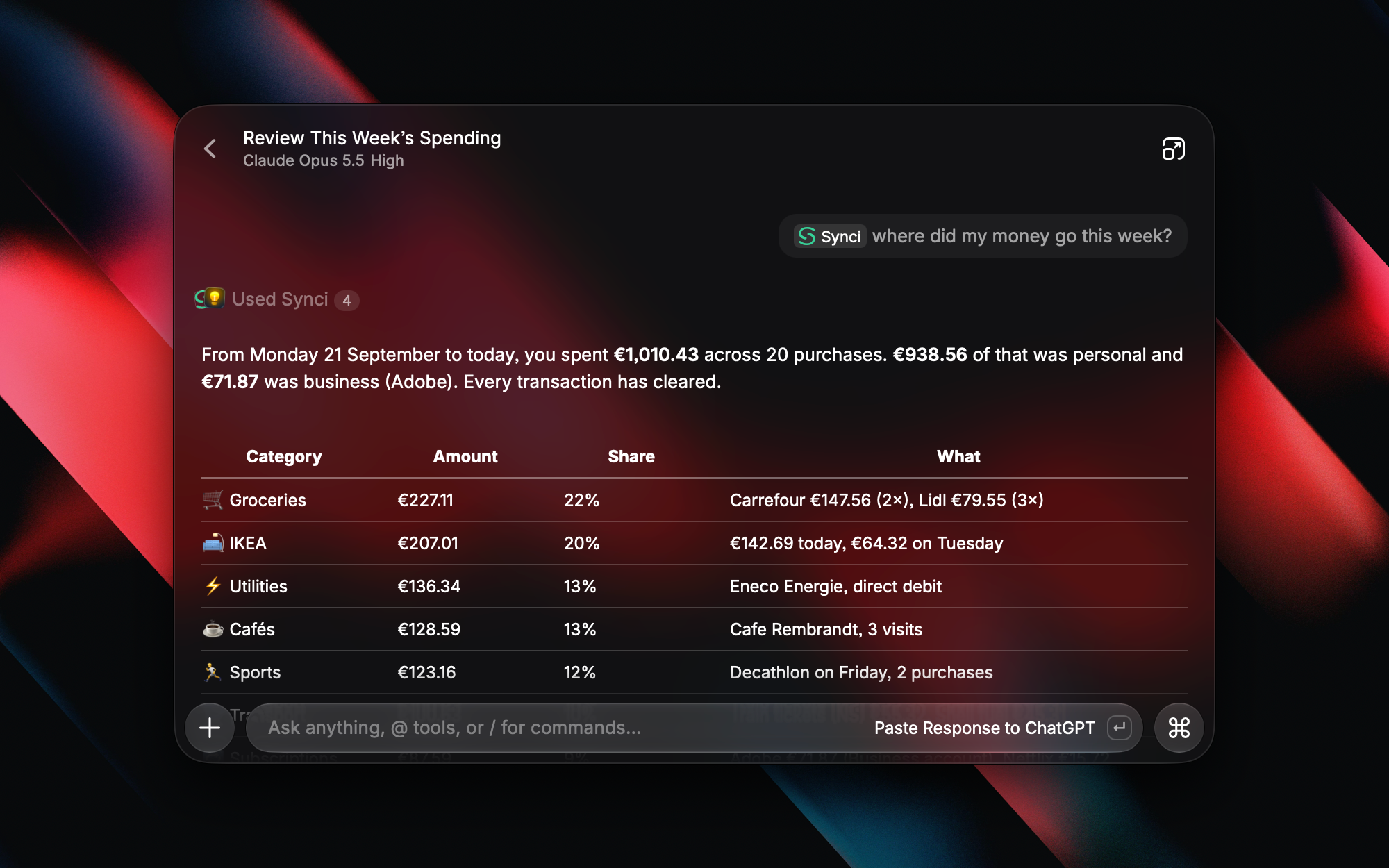
The extension is available on macOS and Windows. Sign in with Synci, choose which accounts to share, and you’re ready to go. Access is read-only, and there are no API keys to configure.
Get Synci for Raycast →

NewImproved

Connect your bank to Actual Budget and SimpleFIN powered apps

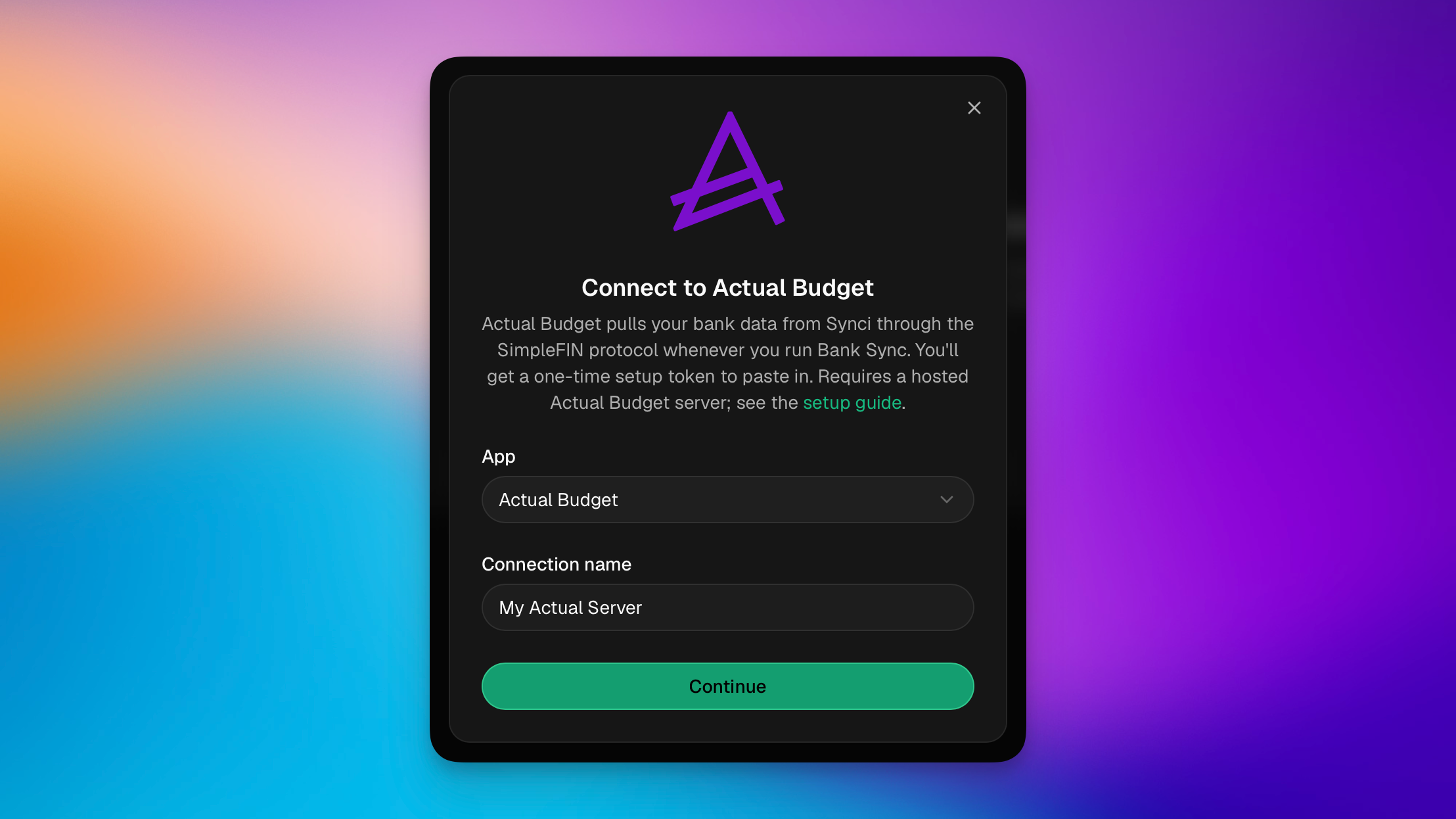
Synci is now a SimpleFIN data source. You can pull your bank, investment, and crypto accounts into Actual Budget or any other SimpleFIN-compatible app.

Until now, Synci pushed your data out to destinations like YNAB, Lunch Money, and Google Sheets. SimpleFIN flips that around: instead of Synci pushing, your budgeting app pulls from Synci whenever it runs its bank sync. That one change opens the door to a whole ecosystem of apps that already speak the SimpleFIN protocol, without us having to build a separate integration for each one.

  • Actual Budget gets a dedicated destination that we've tested end to end. See the Actual Budget setup guide.

  • Any other SimpleFIN app works through the generic SimpleFIN destination. Well-known examples include Buckets, Sparky Budget, ZapYeti, and EnvelopeBudget. If an app has a "connect a bank with SimpleFIN" option, it can read from Synci. See Apps powered by SimpleFIN.

Because Synci connects European banks (via GoCardless) and New Zealand banks (via Akahu), accounts from those regions now flow into these apps too, and investment/brokerage and crypto-exchange accounts come along, not just checking and savings.

How it works

  1. In Synci, go to Destinations then Actual Budget or SimpleFIN. Create a new connection.

  2. Choose which accounts to share: everything you have (now and in the future) or a specific selection.

  3. Copy the one-time setup token and paste it into your app's SimpleFIN screen.

  4. Run your app's bank sync. New transactions and updated balances import automatically, with no duplicates on re-sync.

The connection is read-only and scoped to exactly the accounts you pick. Synci never sees or changes your budget, your app does the fetching on your command, and you can revoke access at any time from the destination's page.

Good to know

  • One app, one destination. Each app connects with its own destination and its own single-use setup token. Connect as many apps as you like.

  • Shape your data with enrichment & rules. To clean up payees or descriptions, you can use Synci's built-in transaction enrichment and/or bank account rules. Their changes flow into every connected app automatically.

New

Talk to your money. Build on Synci.

Some exciting new features went live this week! You can now connect an AI assistant to Synci and ask about your money in plain language, developers can build OAuth apps that other Synci users authorize, and if you bank in New Zealand, you can now connect your accounts through Akahu.


Talk to your money: connect an AI assistant

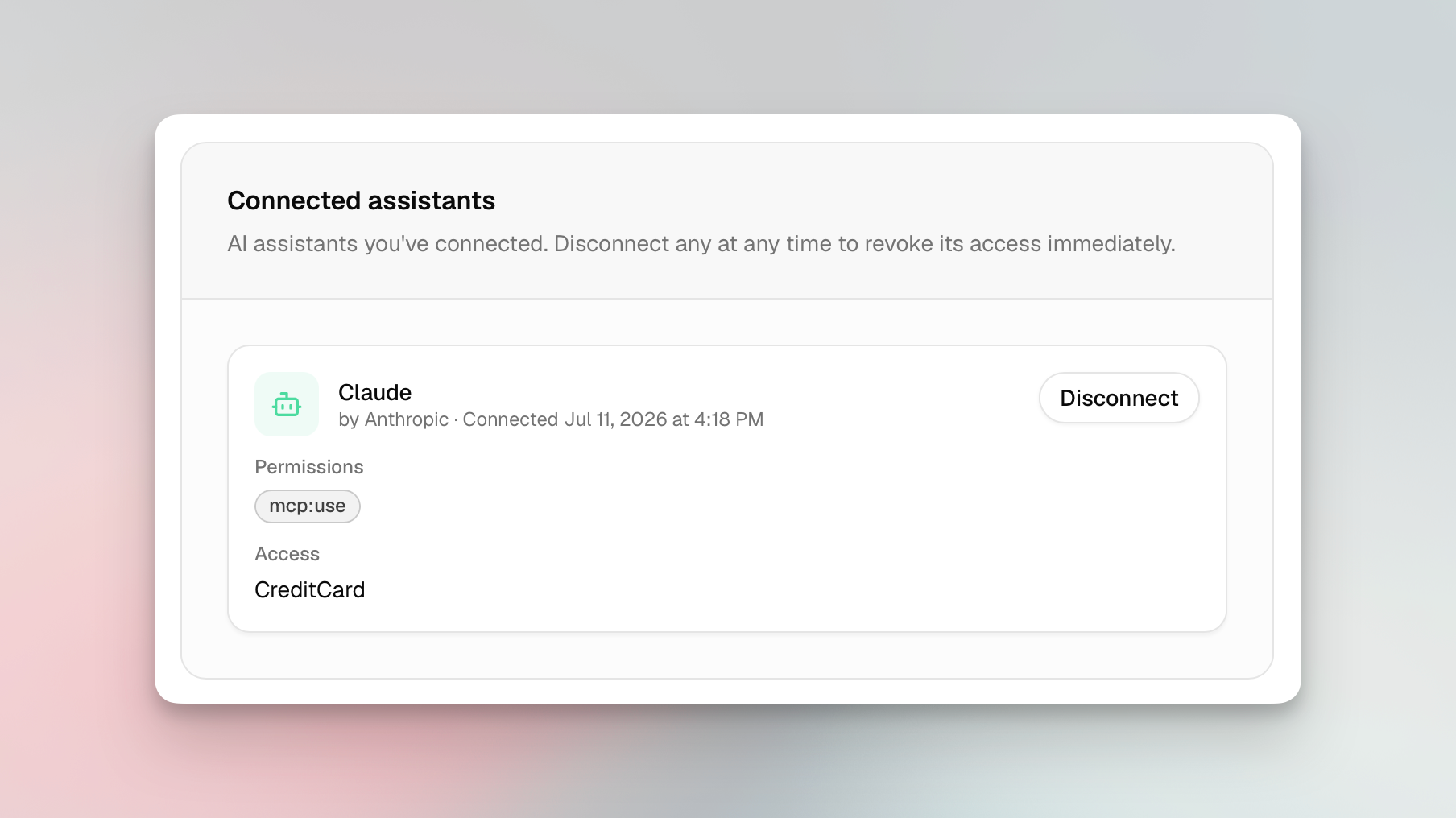
Synci now runs a read-only MCP server (Model Context Protocol, the open standard AI clients use to talk to tools). Point an MCP-compatible assistant like Claude, ChatGPT, or Perplexity at Synci, sign in once, pick which accounts it can read, and start asking:

  • "What's my balance across all my accounts?"

  • "What did I spend on groceries last month?"

  • "What are my crypto holdings worth now, and what's my profit and loss?"

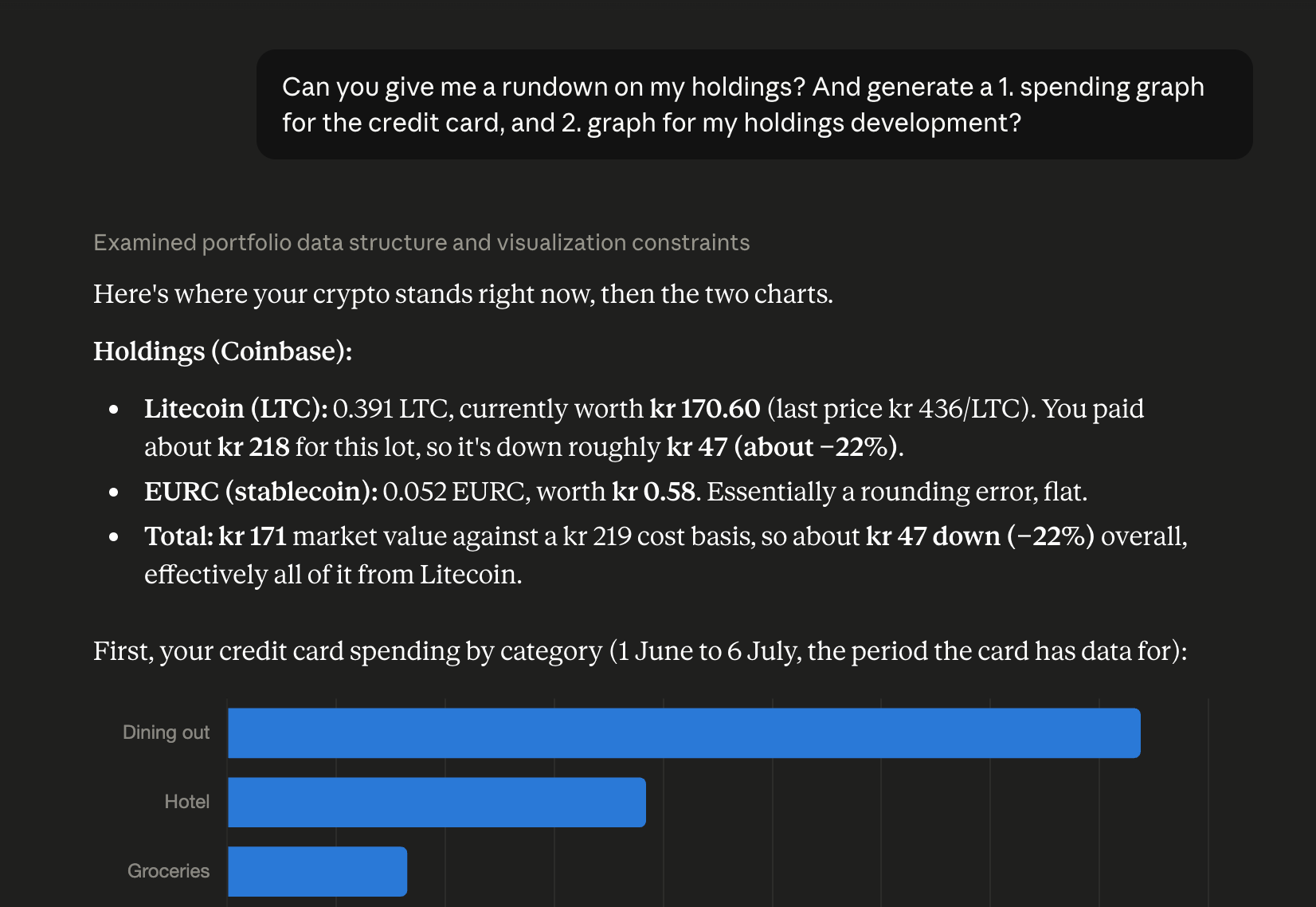
It reads your real numbers, so it can summarize and chart them too. Try "chart my spending by category for the last three months" or "give me a monthly rundown of income vs expenses." Everything's read-only and scoped to the accounts you choose, nothing gets pushed anywhere, and you can disconnect any time.

Five tools are live today (accounts, balances, transactions, holdings, and connections), and clients pick up new ones automatically. Find it under AI Access in your dashboard, along with setup steps for popular assistants.

OAuth apps: Connect with Synci

Building on the Synci API has meant using a personal access token, which only reaches your own account. Now you can register an OAuth app and let any Synci user grant it access to their data, on a Synci consent screen, scoped to the accounts they pick, and revocable anytime. Your app never touches their password or token.

It all lives in the new Developers > Apps area: register an app with redirect URIs, scopes, and branding; get confidential client credentials (secret shown once, rotatable); and run it through a review flow with a Testing state and invited testers. Once approved, you can list it in Synci’s directory for users to discover.

Personal access tokens and webhooks are still there for direct, server-to-server access to your own data. Financial data stays read-only, with no write scope for accounts or transactions.

Privacy and permissions

  • Explicit consent and revocation. You authorize every app or assistant on a Synci consent screen, choose which accounts it sees, and can revoke it instantly.

  • Least privilege. Apps and assistants only get the scopes they asked for and the accounts you picked.

  • Sensitive identifiers hidden by default. AI assistants can never see your IBANs, account or card numbers, phone numbers, or account-holder names. They are also disabled for third-party apps, unless they request the "sensitive identifiers" permission, which is flagged clearly before you approve.

  • Email notifications when an app connects, disconnects, or is removed.

New Zealand banks, via Akahu

If you're in New Zealand, you can now link your bank accounts through Akahu, New Zealand's open banking platform. Browse what's supported at synci.io/banks (filter by New Zealand).

A few things NZ users will notice:

  • No consent expiry. NZ connections use enduring consent, so there's no expiry clock, no renewal emails, and nothing to reconfirm. Connect once and it stays connected until you say otherwise.

  • Near-real-time transactions. Akahu pushes new activity to Synci as it happens, with a nightly reconciliation sync as a backstop, so your data is often fresher than a polling schedule allows.

  • One place to manage your banks. NZ connections get a Manage page that opens Akahu's portal, where you can add or remove banks, or revoke access entirely, all under the same consent.

Everything else works like any other bank: read-only access, health monitoring, rules, and transfer links to YNAB, Lunch Money, and Google Sheets, plus API and webhook access. Each NZ connection counts as one connection on your plan, and it's available to everyone, with no special plan or add-on.

Availability

AI assistant access is on all paid plans, OAuth apps are live under Developers > Apps, and New Zealand connections are available to everyone.

Try it

Connect an assistant under AI Access, register an app under Developers > Apps, or add a New Zealand bank from your connections. As always, we'd love your feedback, so drop a note on the feedback board or reach out in the app.

NewImproved

Earlier updates