
Changelog

Follow new updates and improvements to Synci.

Talk to your money. Build on Synci.
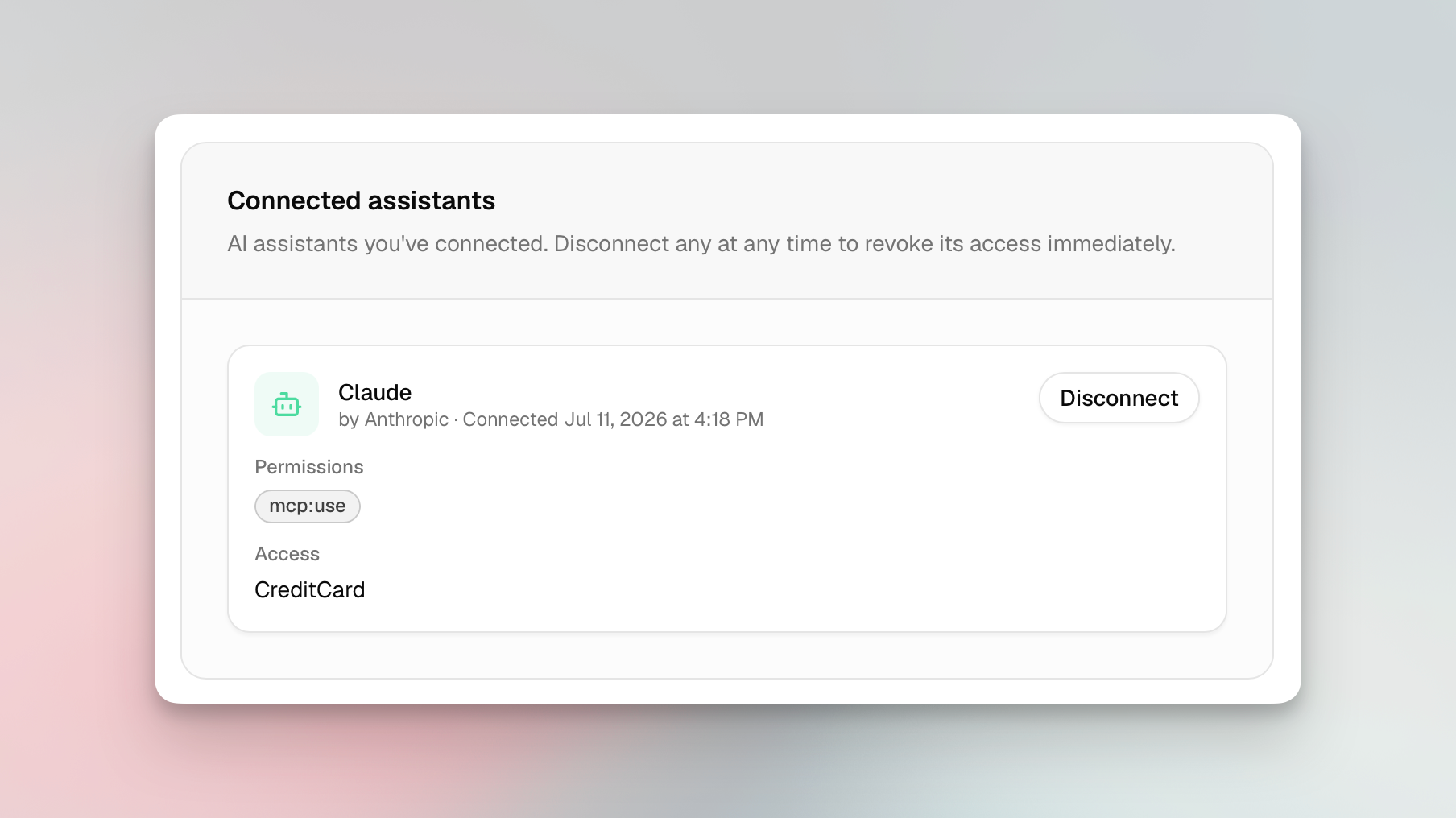
Some exciting new features went live this week! You can now connect an AI assistant to Synci and ask about your money in plain language, developers can build OAuth apps that other Synci users authorize, and if you bank in New Zealand, you can now connect your accounts through Akahu.


Talk to your money: connect an AI assistant

Synci now runs a read-only MCP server (Model Context Protocol, the open standard AI clients use to talk to tools). Point an MCP-compatible assistant like Claude, ChatGPT, or Perplexity at Synci, sign in once, pick which accounts it can read, and start asking:

  • "What's my balance across all my accounts?"

  • "What did I spend on groceries last month?"

  • "What are my crypto holdings worth now, and what's my profit and loss?"

It reads your real numbers, so it can summarize and chart them too. Try "chart my spending by category for the last three months" or "give me a monthly rundown of income vs expenses." Everything's read-only and scoped to the accounts you choose, nothing gets pushed anywhere, and you can disconnect any time.

Five tools are live today (accounts, balances, transactions, holdings, and connections), and clients pick up new ones automatically. Find it under AI Access in your dashboard, along with setup steps for popular assistants.

OAuth apps: Connect with Synci

Building on the Synci API has meant using a personal access token, which only reaches your own account. Now you can register an OAuth app and let any Synci user grant it access to their data, on a Synci consent screen, scoped to the accounts they pick, and revocable anytime. Your app never touches their password or token.

It all lives in the new Developers > Apps area: register an app with redirect URIs, scopes, and branding; get confidential client credentials (secret shown once, rotatable); and run it through a review flow with a Testing state and invited testers. Once approved, you can list it in Synci’s directory for users to discover.

Personal access tokens and webhooks are still there for direct, server-to-server access to your own data. Financial data stays read-only, with no write scope for accounts or transactions.

Privacy and permissions

  • Explicit consent and revocation. You authorize every app or assistant on a Synci consent screen, choose which accounts it sees, and can revoke it instantly.

  • Least privilege. Apps and assistants only get the scopes they asked for and the accounts you picked.

  • Sensitive identifiers hidden by default. AI assistants can never see your IBANs, account or card numbers, phone numbers, or account-holder names. They are also disabled for third-party apps, unless they request the "sensitive identifiers" permission, which is flagged clearly before you approve.

  • Email notifications when an app connects, disconnects, or is removed.

New Zealand banks, via Akahu

If you're in New Zealand, you can now link your bank accounts through Akahu, New Zealand's open banking platform. Browse what's supported at synci.io/banks (filter by New Zealand).

A few things NZ users will notice:

  • No consent expiry. NZ connections use enduring consent, so there's no expiry clock, no renewal emails, and nothing to reconfirm. Connect once and it stays connected until you say otherwise.

  • Near-real-time transactions. Akahu pushes new activity to Synci as it happens, with a nightly reconciliation sync as a backstop, so your data is often fresher than a polling schedule allows.

  • One place to manage your banks. NZ connections get a Manage page that opens Akahu's portal, where you can add or remove banks, or revoke access entirely, all under the same consent.

Everything else works like any other bank: read-only access, health monitoring, rules, and transfer links to YNAB, Lunch Money, and Google Sheets, plus API and webhook access. Each NZ connection counts as one connection on your plan, and it's available to everyone, with no special plan or add-on.

Availability

AI assistant access is on all paid plans, OAuth apps are live under Developers > Apps, and New Zealand connections are available to everyone.

Try it

Connect an assistant under AI Access, register an app under Developers > Apps, or add a New Zealand bank from your connections. As always, we'd love your feedback, so drop a note on the feedback board or reach out in the app.
Rule improvements & new flexible pricing

We've shipped two major updates to Synci: a much improved rule engine, and a new pricing model that lets you pay for what you actually use.


Rules: Liquid Templates, Preview, and More

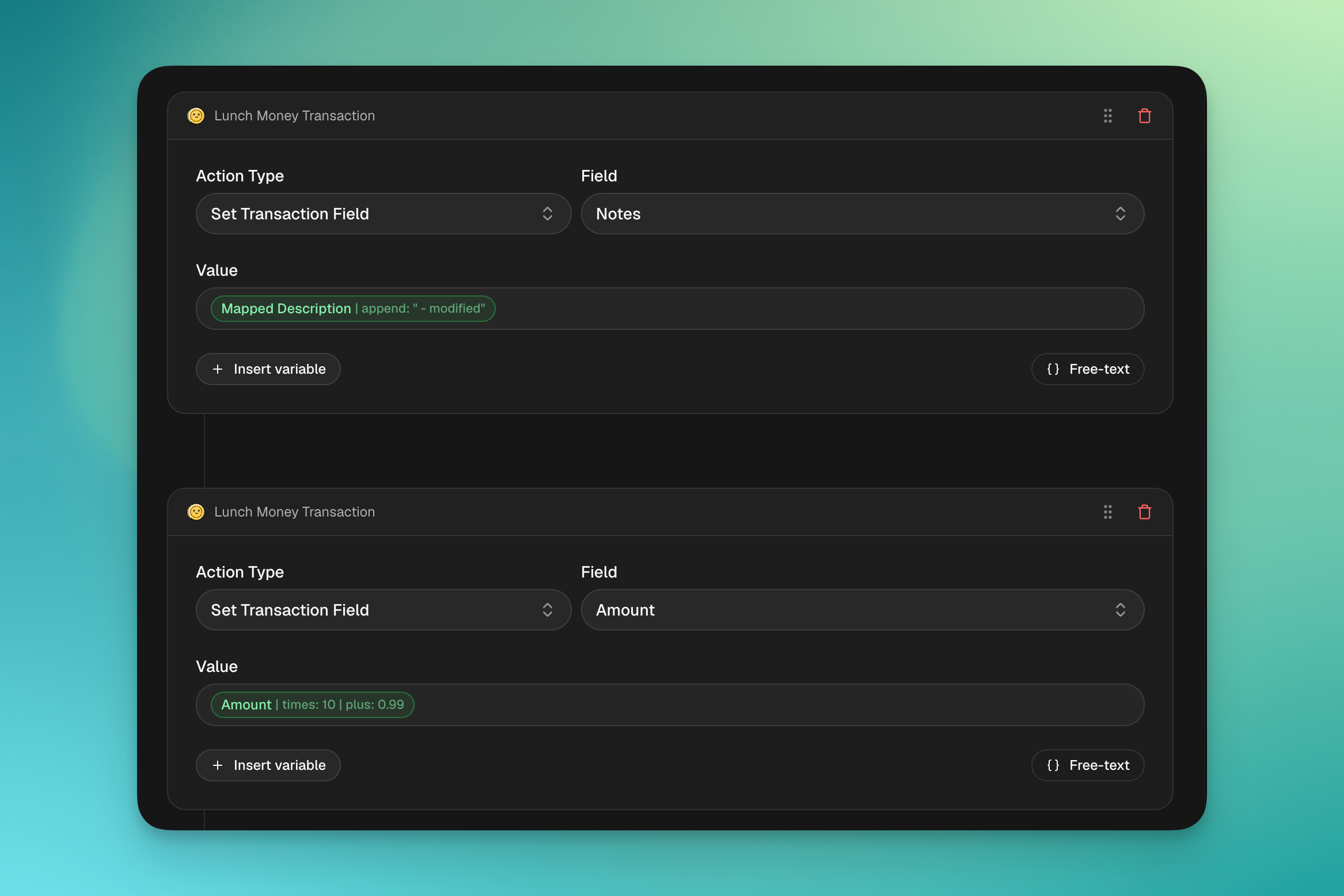
Rules are now powered by Liquid templates, a widely-used, battle-tested template language that replaces our old custom expression syntax. This brings more power, better error messages, and a new way to test your rules before they go live.

Liquid template expressions

Rule action and condition values now use Liquid templates for dynamic expressions. Reference any transaction field with {{transaction.field_name}} and transform values using modifiers (filters):

{{ transaction.creditor.name | remove: "PURCHASE AT " | upcase }}
{{ transaction.amount | times: 1.21 | plus: 1.50 }}
{{ transaction.booking_date | date_add: 7 }}
{{ transaction.memo | regex_capture: '/Ref: (\d+)/' }}

Modifiers can be chained, where each one passes its result to the next, up to 10 filters per expression. All standard Liquid filters are available (remove, replace, upcase, downcase, truncate, append, prepend, split, and more), plus Synci-specific filters for regex, dates, and positional text operations.

Plain text values still work as-is. No template syntax needed for simple static values like EUR or Groceries.

Easier configuration and UI

Previously, using any variable with a modifier required enabling "Advanced Mode" and manually typing out variable paths, field references, and modifiers in plain text. This meant constantly referring back to our documentation just to configure a rule.

Now, inserting variables is much simpler. In the rule editor, type { to open the variable picker, then select a field from the dropdown to insert it with optional modifiers and presets. You can also type the full variable path manually if free-text is enabled.

Rule preview

A new Preview feature lets you dry-run any rule against your real transactions before enabling it. Select up to 10 transactions, and Synci will show you exactly what would change — field by field, with before and after values.

Preview runs the exact same engine as production, so what you see is what you'll get.

Migration from the old syntax

Existing rules have been automatically migrated to the new Liquid syntax, and should work exactly the same as before. If you have existing rules using the old {field:operation} syntax, here's a quick reference:

Before

After

{creditor.name}

{{transaction.creditor.name}}

{field:remove=text}

{{transaction.field | remove: "text"}}

{amount*2}

{{transaction.amount | times: 2}}

{booking_date+7}

{{transaction.booking_date | date_add: 7}}

{TODAY}

{{now | date: "%Y-%m-%d"}}

APPLY_REGEX with /Ref: (\d+)/

{{transaction.field | regex_capture: '/Ref: (\d+)/'}}

For the full list of available fields, filters, and examples, see our updated Rule configuration guide.


New flexible pricing: Pay per connection

We're introducing a new pricing model that gives you more flexibility and control over what you pay. Instead of fixed tiers with a set number of bank connections, you now choose a plan and pay based on the number of connections you actually need.

What's changing?

Our previous three-tier model (Basic, Advanced, Pro) is being replaced with two simpler plans: Basic and Pro, where you only pay for the bank connections you use.

Basic

Monthly

Yearly (2 months free)

Starting at

€4.99/mo (2 connections)

€39.90/yr (1 connection)

Each extra connection

+€1.00/mo

+€10.00/yr

  • 2 rules per bank connection (1 condition, 1 action per rule)

  • 5 rules attached per entity

  • 5 webhook endpoints per connection

  • 30-day data retention

  • Sync every 6 hours

Pro

Monthly

Yearly (2 months free)

Starting at

€6.99/mo (2 connections)

€54.90/yr (1 connection)

Each extra connection

+€1.50/mo

+€15.00/yr

  • Unlimited rules (5 conditions, 5 actions per rule)

  • 10 rules attached per entity

  • 10 webhook endpoints per connection

  • 365-day data retention

  • Sync every 30 minutes

  • Transaction enrichment & AI features

  • Priority support

Enterprise

For businesses and high-volume users, we now offer custom Enterprise agreements with tailored pricing, dedicated onboarding, and usage-based billing. Contact us to learn more.

Why are we changing?

Our old model forced you to commit to a tier even if you only needed one or two bank connections. The new model lets you start with just what you need and scale up at any time, so you never pay for connections you don't use.

What happens to my current plan?

Nothing changes for existing subscribers. Your current plan, price, and features are fully grandfathered. You'll continue on your existing terms for as long as you'd like. The new pricing only applies to new subscriptions and if you choose to switch voluntarily.

Changing plans is easy

You can adjust your plan, billing interval, or number of connections at any time from your billing settings. When upgrading mid-cycle, you'll only be charged the prorated difference for the remainder of your billing period.

By popular demand

Our next major release is now live. Most of these changes are based on your valuable feedback, so please keep em' coming.

Match with existing YNAB transactions

You can now enable this option to automatically match new bank transactions with any existing transactions you've already created in YNAB. This was our most requested feature on the roadmap, so hopefully this will come in handy for many of you!

When a transaction from Synci is matched with an existing YNAB transaction, a chain icon will appear in YNAB. You can click on this icon to see the information transferred from Synci. You can also approve, unmatch or reject the transaction.

Customize memo field

You can now select which bank field Synci should base the "memo" field on. For most users Auto should suffice, but it's nice to have the option if your bank is extra special. You can find the option under advanced source settings.

Number of active bank connections

With bank connections being the main price driver, it was a bit silly to not display exactly how many active bank connections you currently have. This has been rectified, and the count is shown at the top of the sources page.

Source health information

As explained in this post, we now do health checks on all active sources to ensure connections remain stable. Now you'll be able to check the health of your sources, under Source > Details.

Automatic currency conversion

If your bank sends transactions in other currencies, Synci will automatically convert the amount to your actual currency.

Improved file importer date parsing

The file importer is now better at parsing transaction dates.

Earlier updates